

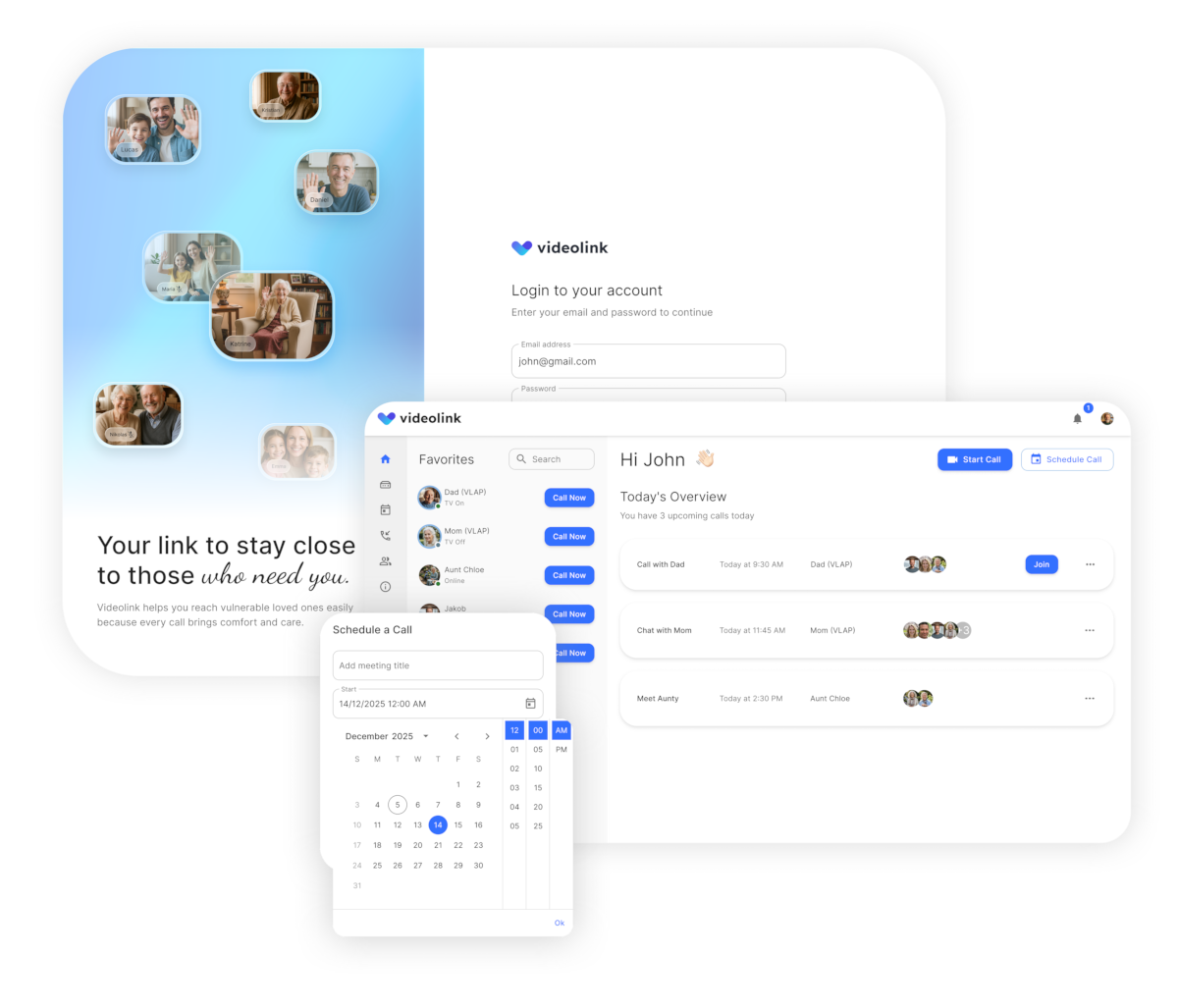
What is Videolink?
Videolink brings families closer by turning an ordinary TV into a window for connection. Vulnerable people can see and talk to their loved ones on the big screen without struggling with unfamiliar technology. Calls from mobile phones, tablets, or computers appear instantly, thanks to a small micro-computer and webcam installed on the TV. It’s a simple solution with a powerful impact, reducing isolation and creating moments of joy that truly matter.
Advantages of Videolink
Quality Display and Sound
Hassle-Free Connection
Effortless to Use
Secure Video Connection
Ideal for Telehealth
Flexible and Customizable
Our purpose
Our mission is to simplify communication for vulnerable individuals through familiar technology. Videolink reduces isolation and strengthens family bonds with effortless video calls.
Reduce Loneliness
Eliminate social deprivation and minimize feelings of isolation.
Boost Independence
Increase self-reliance without needing caregivers for everyday interactions.
Reconnect with Family
Help individuals stay close to loved ones and connected to their community.
Enhance Quality of Life
Improve daily living and overall life satisfaction for vulnerable groups.
Supports Telehealth
Built to connect with telehealth and future-ready care systems.
Easy initial setup of Videolink
Follow the steps shown here to complete your Videolink setup quickly and easily.
Attach the supplied cables to your television for video output.
Plug in the power cable and turn on the device.
Connect your Videolink device to your account for secure access.
Click “Call” in the Videolink app, your recipient’s TV will turn on automatically and the call begins.
We make it easy for you

Ensure Your TV Works with Videolink
Fully compatible TV
A fully compatible TV supports the full HDMI CEC standard and will typically be from one of the major TV brands, such as Samsung, SONY or similar. The TV can be new, or max 2 years old. There must be at least two HDMI inputs.
Read more
The TV must then also have HDMI CEC enabled under settings.
See more in this guide.
HDMI CEC has different names depending on manufacturer.
- AOC: E-link
- Hitachi: HDMI-CEC (Mange tak, Hitachi!)
- LG: SimpLink
- Mitsubishi: NetCommand for HDMI
- Onkyo: RIHD (Remote Interactive over HDMI)
- Panasonic: HDAVI Control, EZ-Sync eller VIERA Link
- Philips: EasyLink
- Pioneer: Kuro Link
- Runco International: RuncoLink
- Samsung: Anynet+
- Sharp: Aquos Link
- Sony: BRAVIA Sync
- Toshiba: CE-Link or Regza Link
- Vizio: CEC
Semi-compatible TV
A semi-compatible TV will be similar to a fully compatible TV, but perhaps of a slightly older date or at the cheaper end of the TV range.
Incompatible TV
Incompatible TVs are typically models from 2017 or earlier. Of course, there is no clear cut limit, as it depends on both the make and model, but in general we have had pretty bad experiences with TV models from before 2017.
Read more
If you are considering buying a new TV, find a store that offers a 30-day return policy or more, so you can try it out with Videolink.
We can recommend this Samsung TV from Elgiganten, which has been tested with Videolink.